For dental practices
Your listing is free. Verified reviews are £50 a month to start.
Every NHS and HSC dental practice in the UK already has a page on Toothfully. Claim yours to correct your details and build a full profile with your services, prices, photos and dentists. When you want reviews, we invite your patients after their appointments, confirm each visit, screen what they write and publish it for you.
Claimed listing
- Edit your practice name, phone, website and email
- Full profile: NHS and private services, prices, specialisms, opening hours and access
- Photos of your practice and profiles of your dentists and team
- “Claimed by practice” badge on your page
Free for good. No card needed.
Verified Reviews
Or pay yearly: £840 a year (£70 a month), save 30%
- Everything in the claimed listing
- Automatic invitations after every appointment: forward your appointment emails, connect your software, or upload a spreadsheet
- Invitations by email or text, with up to two reminders and automatic cancellation when appointments move
- QR poster, reception cards and a kiosk mode for a tablet
- Patients rate five parts of their visit, say who looked after them and answer your own questions
- Review insights: trends, team results and private feedback only you see
- Reply publicly to reviews, with suggested replies (only Verified Reviews practices can reply)
- We confirm every visit and screen every review before it goes live
- Review widget for your own website
- Treatment links: send patients straight to up to three treatment pages on your website
Cancel any time during the trial and you won’t be charged. After that it’s a rolling monthly or yearly plan you can cancel online. The code is added for you at checkout, for practices new to Verified Reviews. After 6 months it’s £100 a month.
See it working
A tour with Brookside Dental Care
Brookside Dental Care is a made-up practice we use to show every part of Toothfully. The pictures below are the real product, filled in with example details, reviews and people.
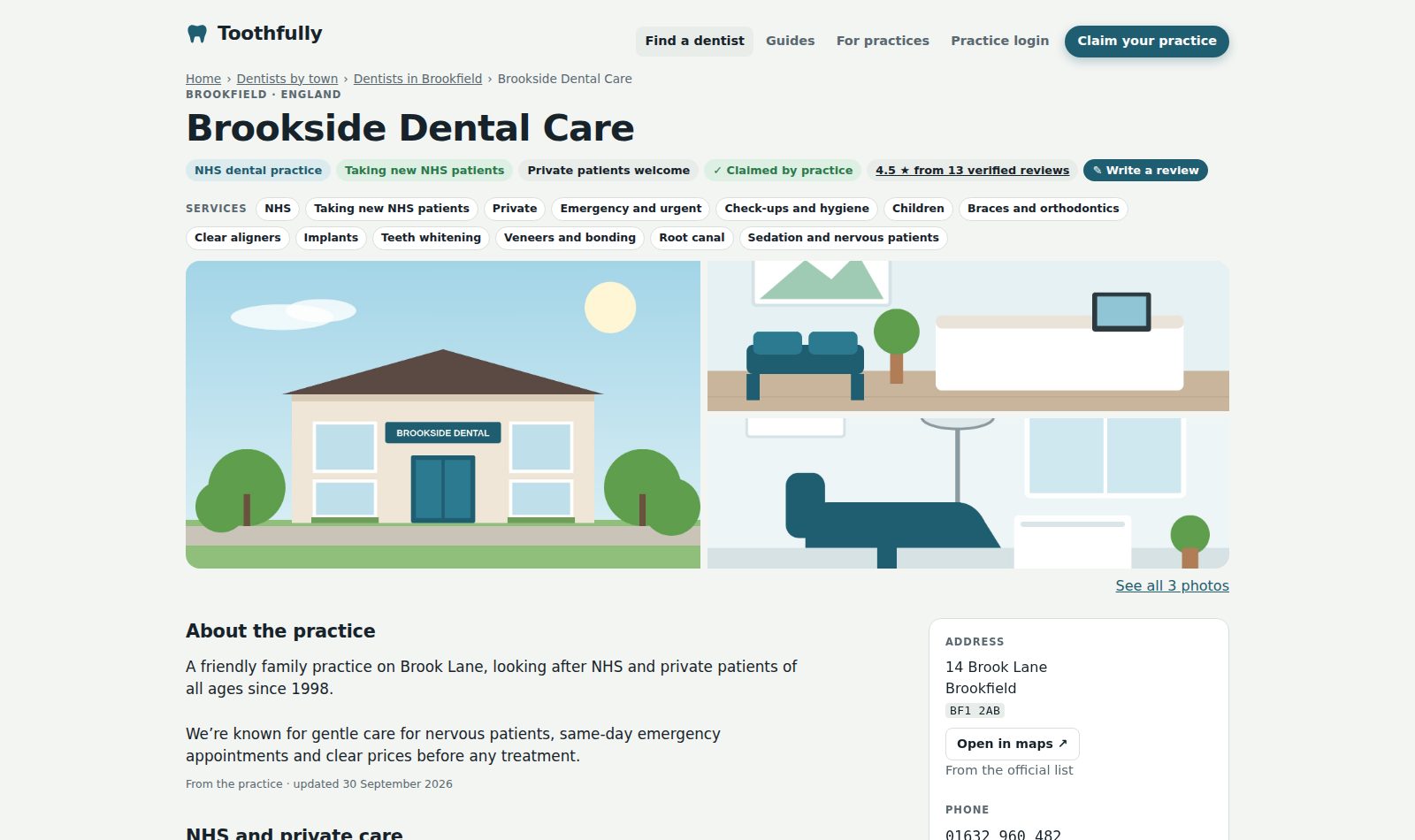
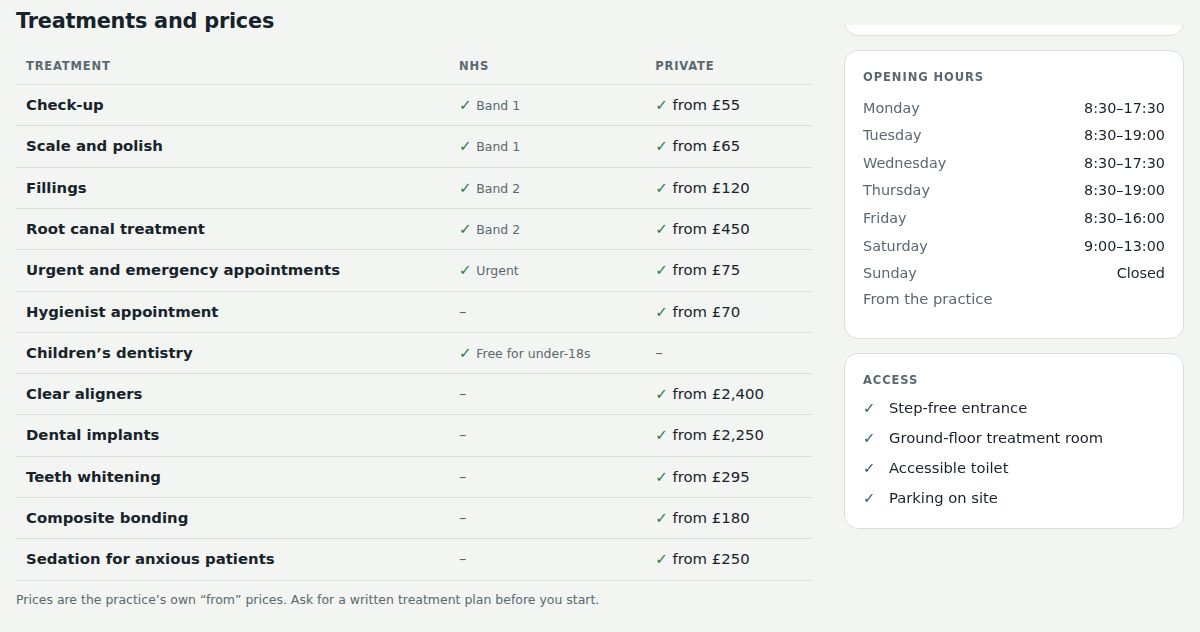
A full page patients can trust
Claim your page for free and fill it in yourself: NHS and private services, what’s available for new patients, treatments with prices, opening hours, access, photos and your team.
- Every detail is labelled with its source, so patients know what came from you and what came from official lists
- Team members appear only after they confirm, and we check GDC numbers against the register
- “Claimed by practice” badge on your page
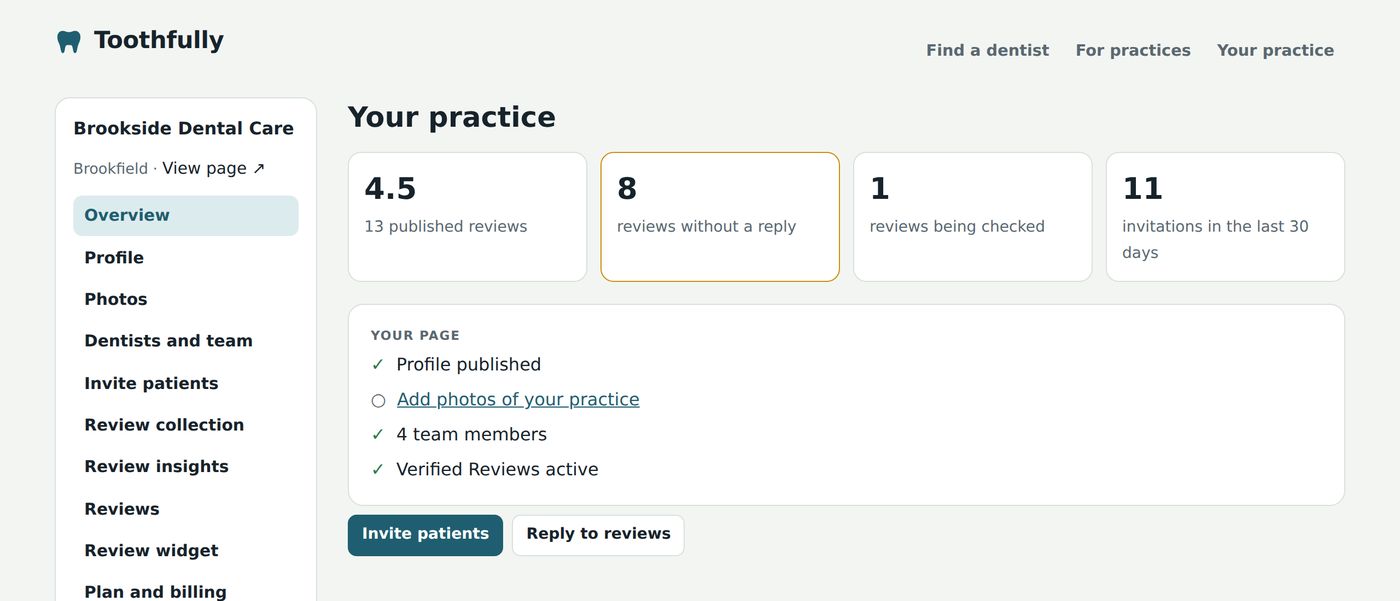
Your practice portal
Everything in one place: edit your page, add photos and your team, and see how many patients view your page, call you or visit your website.
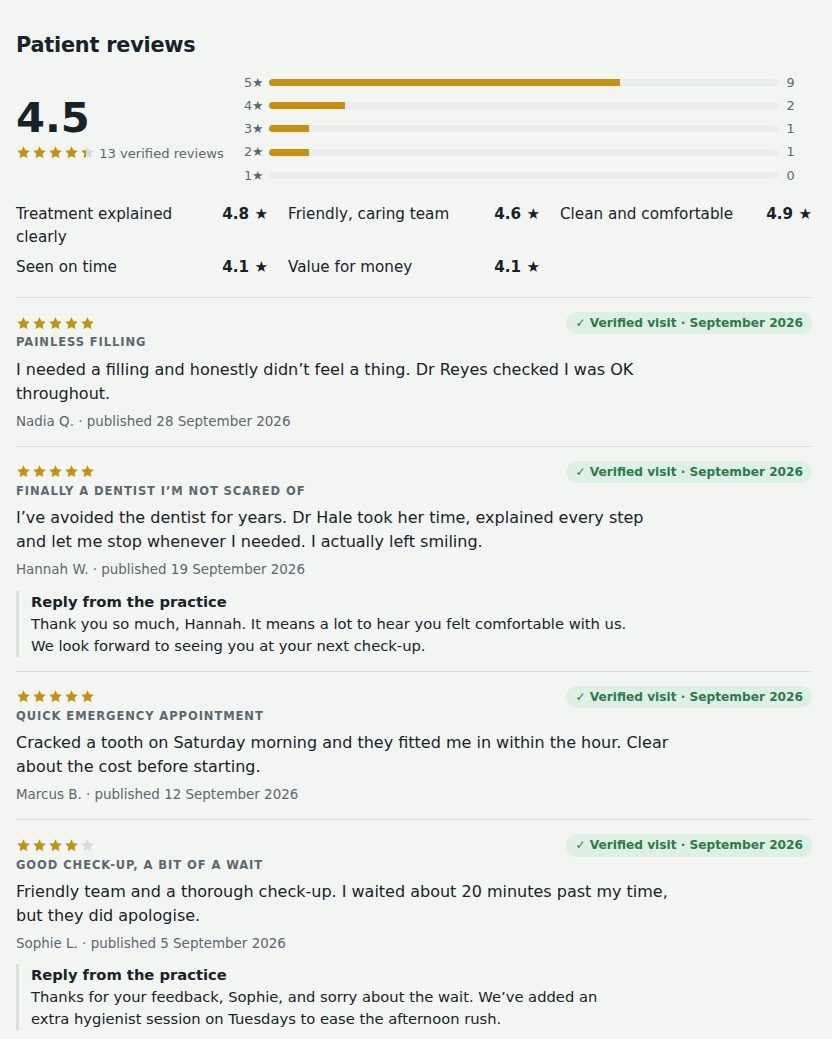
Verified reviews on your page
Each review is marked “Verified visit” with the month, because we matched it to a real appointment. Patients see your star breakdown and how you score on the things that matter to them.
- Scores for treatment explained, friendly team, cleanliness, being seen on time and value
- Your public replies sit under each review
- Reviews are ranked by date, never by rating, and you can’t hide any
Invitations that send themselves
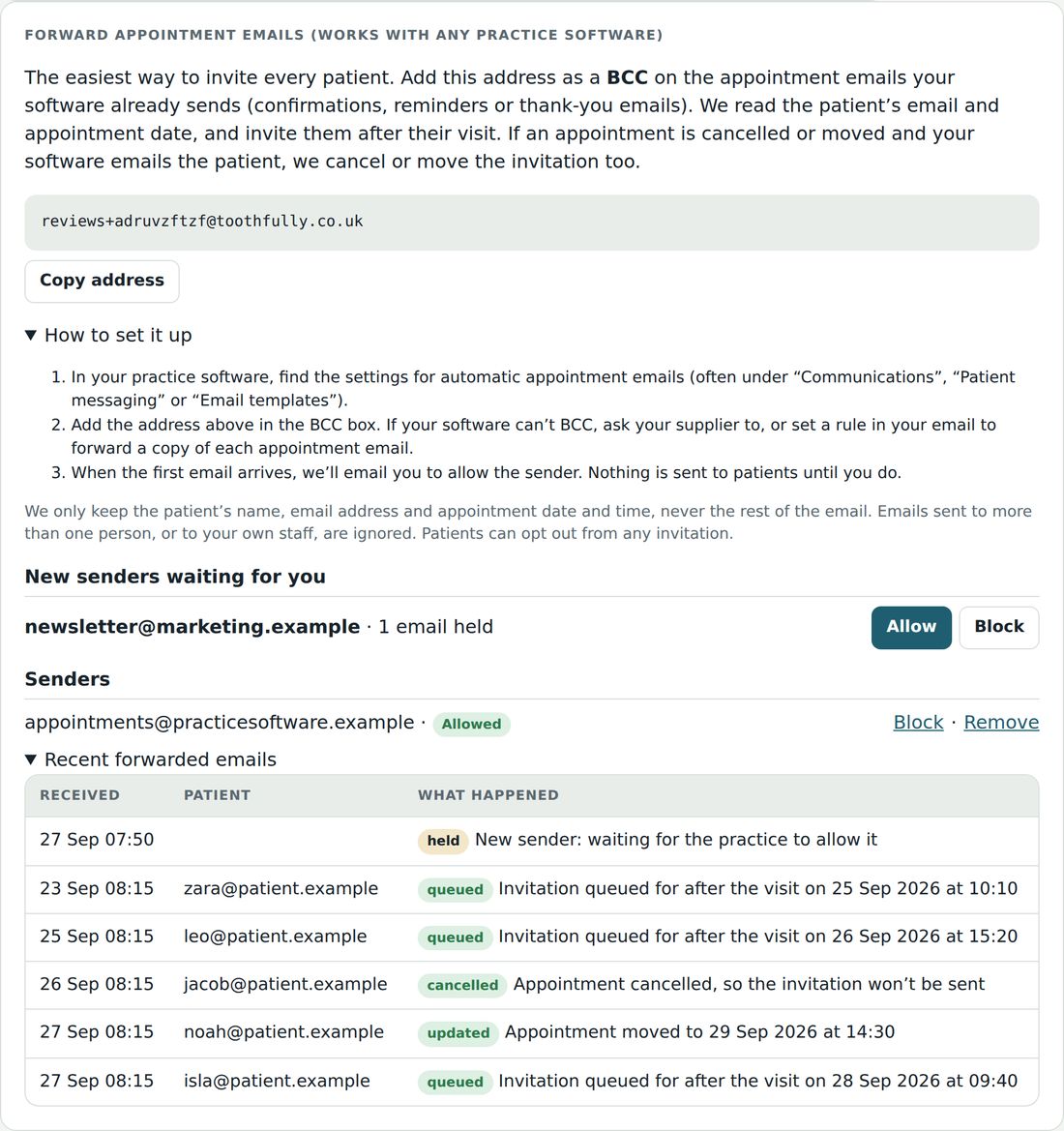
The easiest way to invite every patient: add your own Toothfully address as a BCC on the appointment emails your software already sends. It works with any practice software, and nothing needs setting up by your supplier.
- We read the patient’s email and appointment date, and invite them after the visit, at the time you choose
- Cancelled or moved appointments cancel or move the invitation too
- Prefer to connect directly? Use our appointments API with your software, Zapier or Make, or upload a spreadsheet
- Email or text message, up to two reminders, and patients can opt out from any message
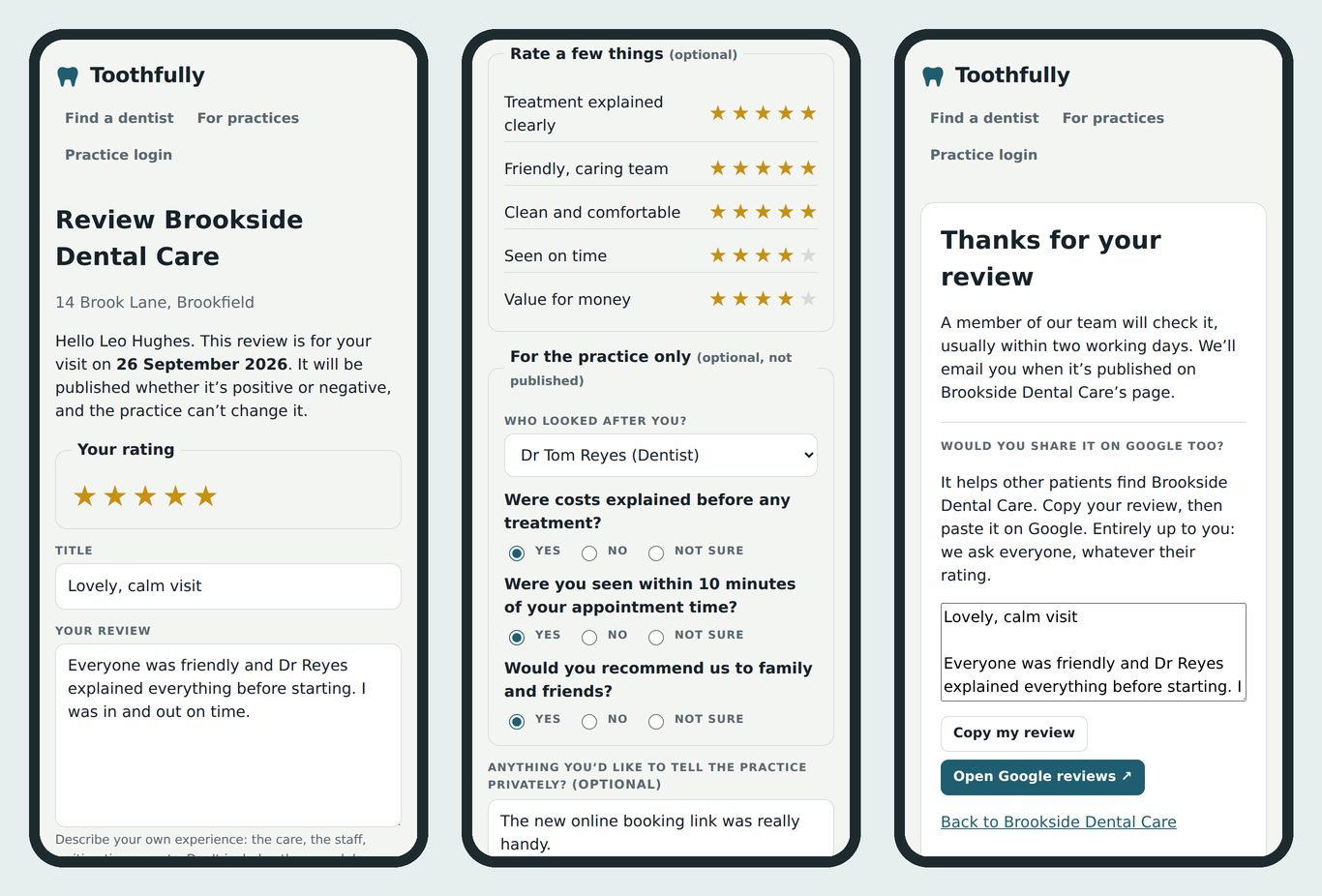
A review form patients finish on their phone
Two minutes from the invitation to done. Patients can rate five parts of their visit, and privately tell you who looked after them, answer up to five of your own yes/no questions and leave a message just for you.
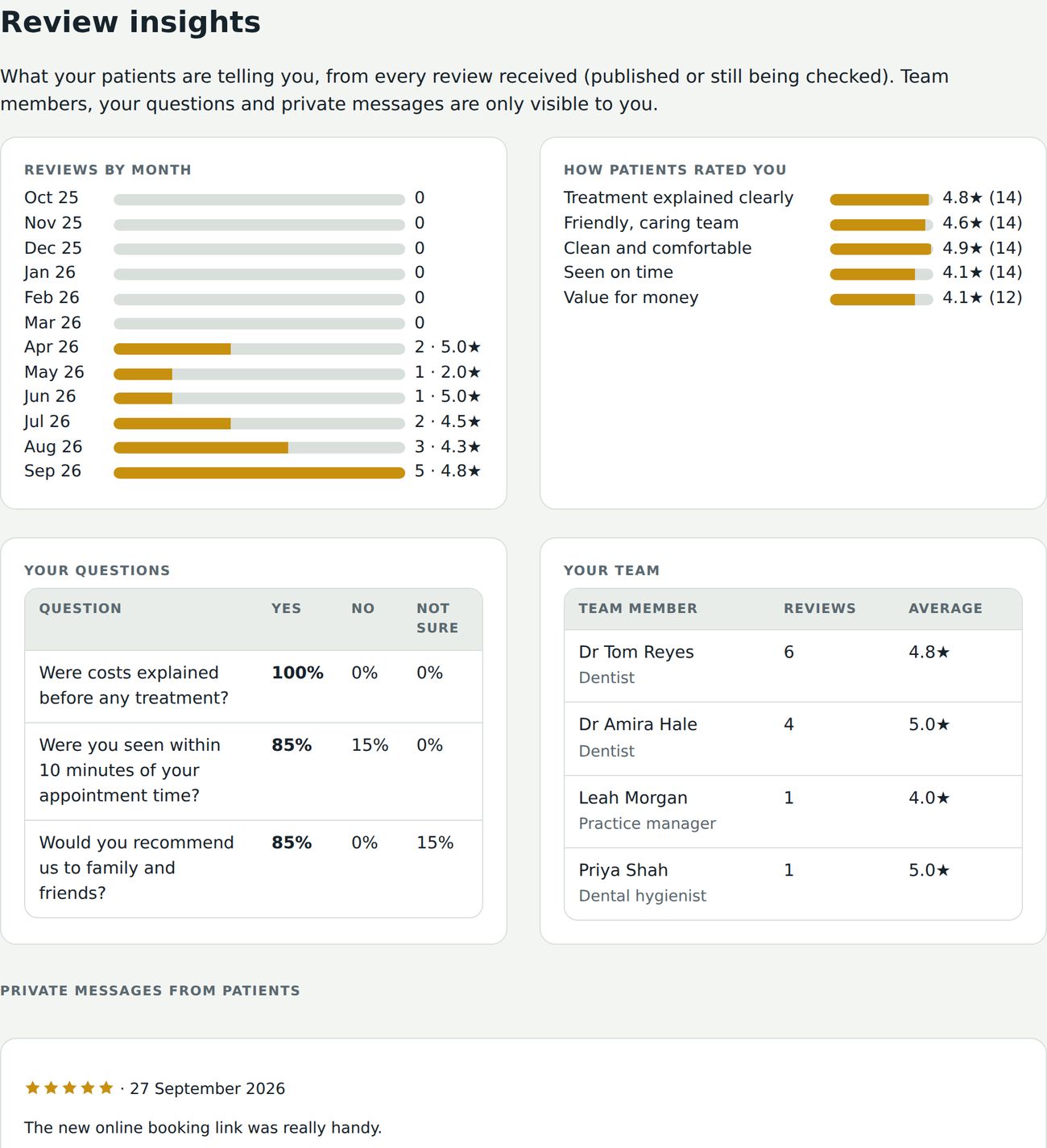
Insights you can act on
See what patients tell you in one place: reviews by month, how you score on each part of the visit, answers to your questions, results by team member and private messages that aren’t published.
- Spot problems early, like waiting times on busy afternoons
- Share good feedback with the team: dentists named in a good review get a thank-you email
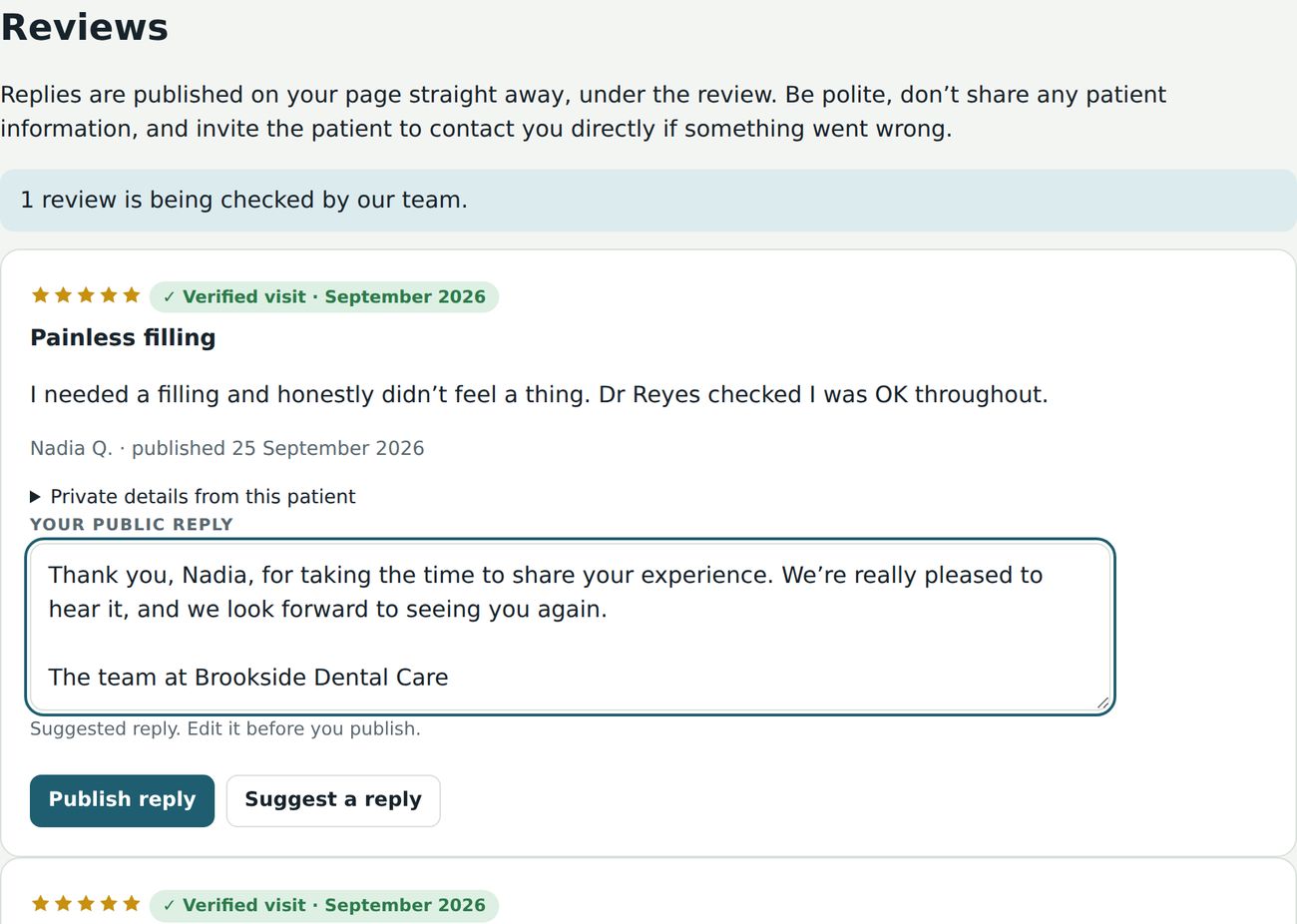
Reply in seconds
Thank patients and respond to concerns in public, under the review. Ask for a suggested reply and edit it before you publish. Suggested replies never mention treatment or confirm someone is a patient beyond what they wrote.
QR codes and a reception kiosk
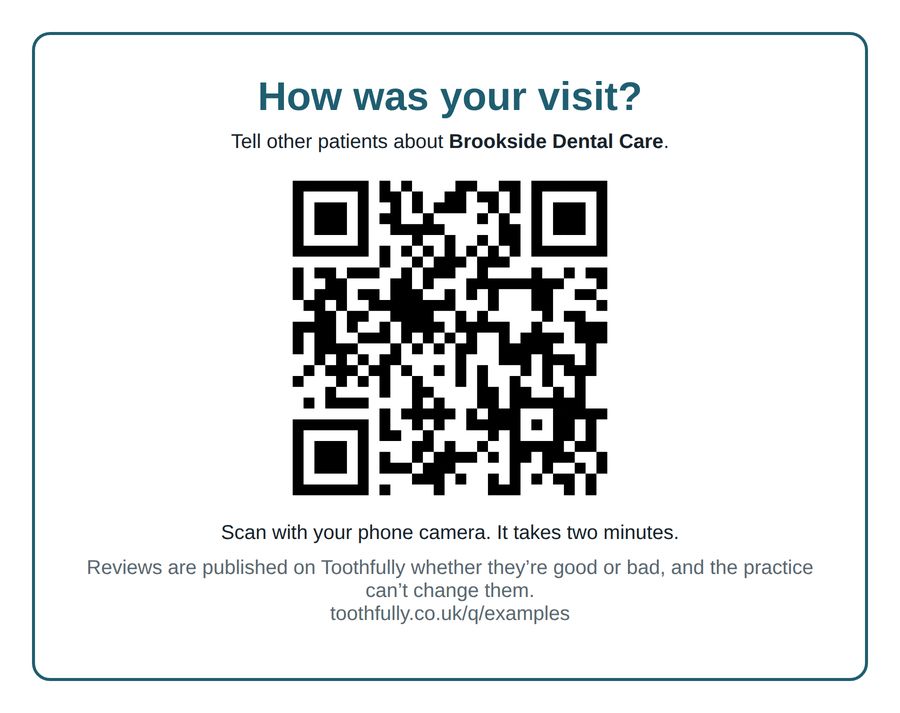
Print a poster and cards with your own QR code, or open kiosk mode on a tablet in reception. Patients tell us the date of their visit and we check it against your appointments before publishing.
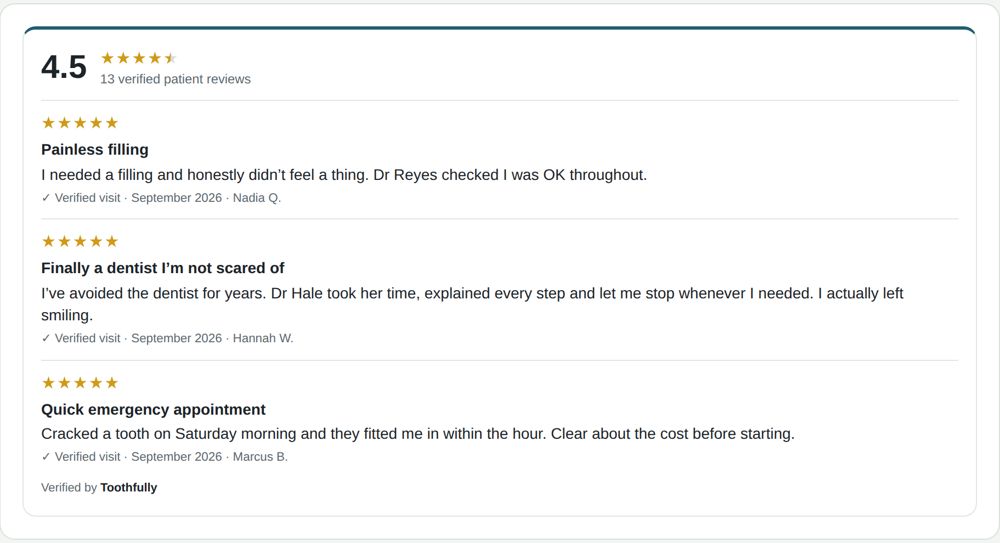
Your reviews on your own website
Add our widget with one short piece of code. It shows your overall rating and latest verified reviews, updates by itself, and comes as a badge, a card or a carousel.
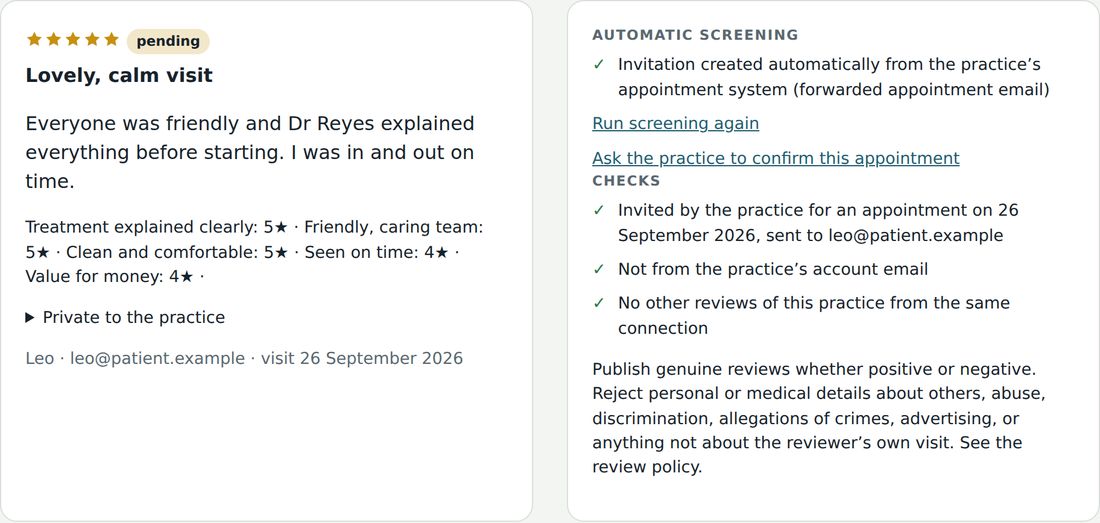
Every review checked by a person
Before anything is published, our team sees how the visit is proven and what our automatic checks found.
- Invitations created automatically from your appointment system are the strongest proof, and can’t be cherry-picked
- We look for reviews from staff, the same device or connection, and unusual patterns
- Now and then we ask you to confirm a visit from your diary: a quick spot check that keeps everyone honest
Sponsored listings: be first on the pages patients use
Add a sponsored listing and appear at the top of your town’s page, or of a treatment page like “Dental implants in Brookfield”, where patients are already choosing.
- From £25 a month for your town page, £40 for a treatment page, and £75 for high-demand treatments like implants and clear aligners
- Only 2 places per page, clearly labelled, with your real rating and your own short line
- See how often you were shown, clicked and called, and stop any time
- For Verified Reviews practices, and your own page never shows other practices’ adverts
Dental implants in Brookfield
Sponsored What’s this?
-
Brookside Dental Care
Evening and Saturday appointments. Free implant consultation and 0% finance.
- Claim your pageFind your practice and tell us who you are.
- We check youWe confirm you work at the practice before you can make changes.
- Patients are invitedAfter an appointment, each patient gets one invitation to review.
- Visit confirmed, review publishedWe match the review to a real appointment, screen it and publish it.
How we keep reviews fair
- Paying doesn’t change your rating. We publish every genuine review, good or bad.
- Practices on Verified Reviews can reply to reviews. No practice can edit, hide or remove them.
- You invite every patient you see, not only the ones you choose.
- Patients are never paid or rewarded for leaving a review.
- Patients of any practice can send us a review, whether or not the practice subscribes.
- We only remove a review if it breaks our review policy, and we say when we have.
Know other practices?
Practices on Toothfully get a free month for every practice they refer that joins Verified Reviews, and so does the practice they refer. Work with lots of practices, as a consultant, agency or supplier? Join our partner programme and earn 30% of what they pay for their first year, then 10% for as long as they stay.
Questions practices ask
How do you confirm a patient really visited?
Invitations come from your appointment list, so each one is tied to a real visit. For reviews sent to us directly, we ask the patient for proof of the appointment, such as a booking confirmation, and check it before publishing.
Does it work with our practice software?
Yes. The simplest way works with any software: add your own forwarding address as a BCC on the appointment emails your software already sends, and we invite each patient after their visit. You can also connect with our appointments API (directly, or through Zapier or Make) or upload a spreadsheet.
Do you need patient records?
No. We only need a name, an email address and the appointment date to send an invitation. We never ask for clinical information.
What happens after the free trial?
If you don’t cancel within 30 days, the plan continues at £100 a month. You can cancel at any time from your billing page. Your claimed listing and published reviews stay on the site either way.
Can we remove a bad review?
No. With Verified Reviews you can reply publicly to any review. We only remove reviews that break our review policy, for example because they contain personal information or abuse, and we say on your page when we have.
How do you check what practices publish?
Everyone added to a team page gets an email and appears only after they confirm. We check each GDC number and name against the General Dental Council register, and any specialist title against the GDC specialist lists. Every photo is reviewed before it goes live.
Can we show our reviews on our own website?
Yes. Verified Reviews includes a widget you add with one short piece of code. It always shows your overall rating and your most recent reviews.
We’re a group with several practices.
Claim each practice with the same email address and you can manage them all from one login.